Discord Subscription Management: Complete Guide

Published · Updated · 4 min read
Short answer
Members manage Discord server subscriptions in User Settings under Subscriptions, where Manage Membership shows prices, renewal dates and a Cancel button. Owners manage tiers in Server Settings. If a community sells through Stripe instead, members update cards or cancel in Stripe's customer portal, and the membership tool removes their Discord role when access ends.
| Where members cancel (native) | User Settings > Subscriptions > Manage Membership > Cancel Subscription |
|---|---|
| Refunds (native) | Ask the server owner first, then Discord's refund process |
| Tier changes bought on iOS | No mid-cycle upgrade or downgrade; cancel and buy the new tier |
| Leaving the server | Cancels auto-renewal of that server's subscription |
| Turning native subscriptions off | Only with no active subscribers and all tiers deleted |
Checked against the sources at the end of this article.
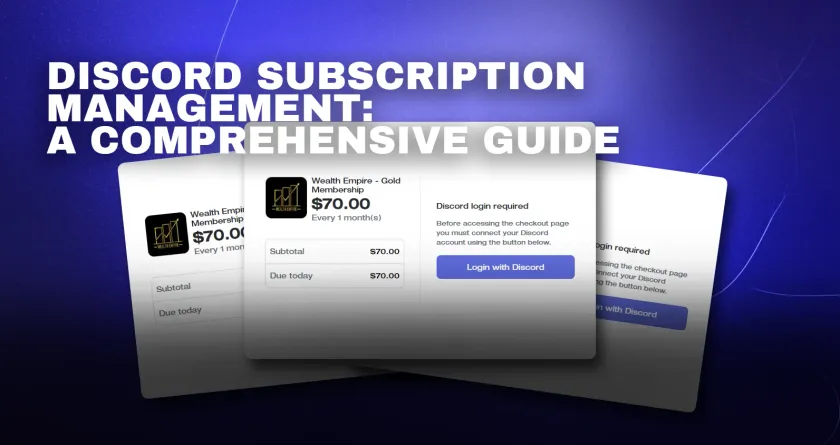
A paid Discord community has two sides of subscription management: members who need to see, change or cancel what they pay for, and owners who need billing to run without daily attention. This guide covers both, for Discord’s built-in Server Subscriptions and for communities that sell through Stripe. More on the topic is in our paid Discord memberships and monetization guides.
For members: managing a Server Subscription
See what you pay for
- Open User Settings with the cog next to your username.
- Select Subscriptions on the left.
- Press Manage Membership. You will see every server membership you hold, what each costs and when it renews.
Cancel
On the same page, press Cancel Subscription next to the membership and confirm. Your perks last until the end of the period you paid for. Leaving a server also cancels its auto-renewal.
Change tiers
If you subscribed on desktop or in a browser, pick the new tier from the server’s subscription page. If you subscribed in the iOS app, Discord cannot change the tier mid-cycle: cancel, wait for the current period to end, then buy the tier you want. Subscriptions cannot be bought on Android.
Ask for a refund
Contact the server owner first, because they provide the perks. If that does not resolve it, Discord’s refund policy explains when it will step in. For technical billing problems, Discord’s help article points to its billing support form.
If you paid but cannot see the channels
Check that you are signed in to the same Discord account you subscribed with; a second account is the most common cause. Then contact the server’s staff with your receipt, since only they can check the role you were given.
For owners: running native subscriptions
- Tiers and perks live in Server Settings > Server Subscriptions. Admins can edit tier details; only the owner sees payout information.
- Free trials can be switched on per tier. Members enter a payment method and are charged when the trial ends unless they cancel.
- Payouts arrive monthly once you have earned $100 for the first payout and $25 for later ones.
- Turning it off requires that no active subscribers remain and that you delete every tier, including drafts and archived ones.
For owners selling through Stripe
When you sell memberships through your own checkout, Stripe holds the subscription and a membership tool keeps Discord in step with it.
- Self-service: Stripe’s customer portal lets members update their card, see invoices and cancel without messaging you.
- Cancellation timing: Stripe can cancel immediately or at the end of the billing period. Ending at the period end is fairer and avoids refunds.
- Access: the tool watches the subscription and removes the Discord role when it ends. With Ternary, roles are given on sign-up through a signup gate with Discord login and removed on cancellation, and each member’s record sits in a member CRM.
- Failed payments: Stripe can retry declined cards automatically before a subscription is canceled. Our guide on subscription management for online communities covers renewals and retention in depth.
A monthly checklist for owners
- Compare active members in Discord with active subscriptions in your billing system. Anyone with a paid role and no subscription is free riding.
- Read cancellation reasons and reply to the ones you can fix.
- Check failed-payment recoveries and follow up personally with long-time members.
- Review tier descriptions so they match what members actually get.
Which approach fits you
Native subscriptions keep everything inside Discord and suit US owners who want minimal setup. A Stripe-based setup suits owners who sell from a website, operate outside the US or want member records they control. Our pillar guide on how to monetize your Discord server compares the models, and how to set up Discord memberships and subscriptions shows the setup steps for each.
FAQ
Why was I charged again after leaving a Discord server?
Leaving a server cancels the auto-renewal of its Server Subscription, so you should not be charged for the next month. A charge you see after leaving usually covers the period you had already started. If a charge looks wrong, contact the server owner first, then Discord billing support through the link in Discord's Server Subscriptions help article.
Can a server owner see my card details?
No. With Discord's native subscriptions, payment details stay with Discord and its payment provider, and only the owner sees payout information for the server. With a Stripe-based membership tool, your card is stored by Stripe; the community sees your name, email and subscription status, not your full card number.
How do I upgrade to a higher tier?
For subscriptions bought on desktop or the web, choose the new tier in the server's subscription page and Discord adjusts the billing. Subscriptions started in the iOS app cannot change tier mid-cycle: cancel, wait for the period to end, then buy the new tier. With a Stripe-based tool, use the community's checkout or customer page.