How to Monetize a Discord Community: A Starter Plan

Published · Updated · 3 min read
Short answer
Yes, a Discord community can make money, but only if members get something they would pay for. Start with one of three models: a paid subscription to private channels, digital products sold to your free members, or one-on-one coaching. Validate demand with your most active members, launch one offer, and measure renewals before adding more.
| Cost to create a Discord server | Free |
|---|---|
| Discord Server Subscriptions | US owners only; 90% to the owner after processing fees |
| Selling through Stripe | 2.9% + 30¢ per US card charge, plus your tool's fee |
| Ternary plans | Basic free with no transaction fee; Premium $100/month plus 3% |
Checked against the sources at the end of this article.
Discord began as a chat app for gamers and became the default home for online communities built around a hobby, a skill or a market. Many of those communities now earn money. This starter plan is for owners who have members and want a first income stream, not a list of every possible idea. For the full list, see our pillar guide on how to monetize your Discord server, and for the wider topic, our paid Discord memberships and monetization hub.
First, check that people would pay
Money follows value. Before you build anything, answer three questions:
- What do members come back for? Look at which channels are busiest and which posts get the most replies.
- What do they ask you for that you have not offered? Repeated requests are demand.
- Who would pay first? Name five active members and ask them directly.
If nobody would miss the community, charging will not fix that. Spend a few more weeks making the free version useful.
Choose one of three starter models
Model 1: A subscription community
Put part of the server behind a paid role and charge monthly. It is the most reliable model because income repeats. When we first published this guide in December 2024, our example was Let’s Talk Investing, a trading community that sold access to its server through Ternary, with daily trading signals, market updates and educational videos for members.
You can run it with Discord’s Server Subscriptions if you are a US-based owner, or with a Stripe checkout and a tool that assigns roles. Our Discord paywall guide explains how to structure the paid channels.
Model 2: Digital products for your free members
Keep the server free and use it to sell products: e-books, templates, digital art, stock photos or recorded courses. The community is where people discover and discuss the product, which makes each launch easier. A one-time purchase can also grant a role for a buyers-only help channel.
Model 3: One-on-one coaching
If you have expertise but no product yet, sell your time. Share free advice in public channels and offer paid sessions to people who want more. Discord’s private channels and voice and video calls mean the whole relationship can stay in one place, without a separate video tool.
A four-week starter plan
- Week 1: Prepare. Pick the model, write the offer in two sentences and set a price. Create the paid role and channels, or the product page.
- Week 2: Pre-sell. Tell your most active members first and offer them a founding price. Their response tells you whether to continue.
- Week 3: Launch. Announce to the whole server, pin the offer in a channel everyone can read, and answer every question in one thread.
- Week 4: Measure. Count buyers, ask the ones who did not buy why, and decide what to change before the first renewal date.
Resist adding a second model in the first month. One clear offer that members understand earns more than three half-built ones.
Setting up the payments
If you have no server yet, creating one is free: choose Add a Server, then Create My Own or a template, name it and press Create.
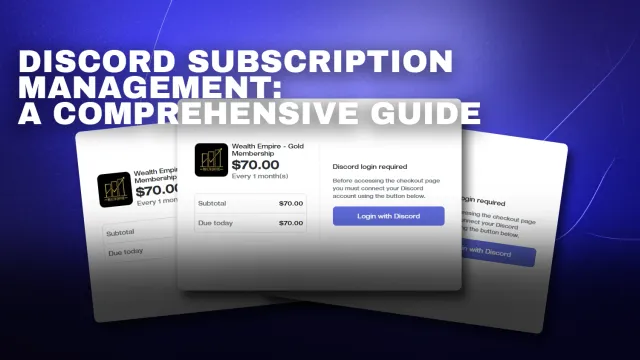
For a subscription or product sold outside Discord’s own tools, Ternary connects your website, Stripe and Discord. Buyers sign in with Discord, pay through Stripe and get their role automatically; when a subscription ends, the role is removed, and every member is listed in a CRM. Basic is free with no transaction fee; Premium is $100 a month plus a 3% fee. You can create your account and connect Stripe yourself.
The full setup walkthrough is in set up paid Discord subscriptions with Ternary.
FAQ
Is it really possible to make money from a Discord community?
Yes, and many communities do, but Discord does not pay you for activity. The money comes from members who buy access, products or your time. That only works when the community offers something specific, such as expertise, accountability or a trusted group, that people cannot easily get for free elsewhere.
Should my whole community be paid, or only part of it?
For most communities, only part. A free area lets new people see the conversation, meet members and trust you before they pay, and it keeps the community growing. Put the content people return for, such as daily analysis, feedback or live sessions, behind the paid role, and keep introductions and a general chat open.
Do I need coding skills to charge for a Discord community?
No. Discord's own Server Subscriptions are set up in Server Settings, and membership tools such as Ternary connect Stripe and Discord without code: you create a product, choose the role it grants and share a checkout page. You only need a developer if you want a custom bot or website.