Best Discord Bots for Your Server (Updated List)

Published · Updated · 4 min read
Short answer
The bots most servers need are a general moderation bot such as Dyno or Carl-bot, a leveling or engagement bot such as MEE6 or Tatsu, and, for paid communities, a membership bot that ties roles to payments. Several old favorites are gone: YouTube forced Groovy and Rythm offline in 2021, and Pokécord was discontinued.
| Moderation and auto roles | Dyno, Carl-bot, YAGPDB |
|---|---|
| Levels and engagement | MEE6, Tatsu |
| Games | Dank Memer (economy), Pokétwo (Pokémon catching) |
| Paid membership roles | Ternary (Stripe payments, roles added and removed automatically) |
| Shut down | Groovy (August 2021), Rythm (September 2021), Pokécord |
Checked against the sources at the end of this article.
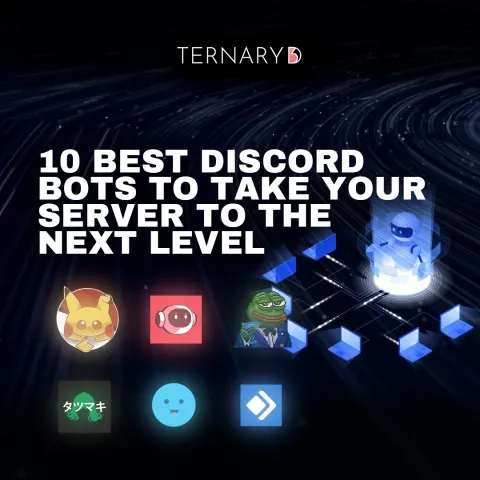
Bots do the work that would otherwise fall on moderators: filtering spam, handing out roles, rewarding activity and running games. The right three or four make a server feel organized; the wrong ten make it noisy. This list was first published in April 2024 and fully updated in November 2026, after checking that each bot is still running. It is part of our running a Discord server topic.
Before you add any bot
- Check the bot in the Discord App Directory or on its official site.
- Read the permissions it asks for and grant only what its features need.
- Keep each bot’s role below your staff roles; bots can only manage roles below their own.
- Turn on Discord’s built-in AutoMod first. It handles keyword and spam filtering without any bot.
Moderation and roles
Dyno
A modular bot with a web dashboard for moderation, anti-spam, auto roles and custom commands. A good single choice for servers that want one bot to cover the basics.
Carl-bot
Known for reaction roles, plus automod, logging and custom commands. Pick it when members should choose their own roles from a menu.
YAGPDB
“Yet Another General Purpose Discord Bot”: self-assignable roles, join and leave messages, custom commands and fast feeds from Reddit, YouTube, Twitch and RSS. Powerful for admins who like to configure things in detail.
Levels and engagement
MEE6
A long-running general bot best known for its leveling system, which rewards active members, alongside moderation tools. Levels work well when you tie them to small perks, such as a role or a channel.
Tatsu
An engagement bot built to make communities fun: experience points, profiles and rewards. Its site says it is used by more than 1,350,000 servers.
Games
Dank Memer
An economy and collecting game: members earn virtual coins, collect items, go fishing and raise pets. Great for social servers; consider a dedicated channel so it does not drown out conversation.
Pokétwo
Catch, level, evolve and trade Pokémon, and battle other players. Pokétwo was created in 2020 as a replacement for the defunct Pokécord, which earlier versions of this list recommended.
Paid memberships
Ternary
For servers that charge, Ternary ties Discord roles to payments. Members sign in with Discord on a branded checkout page and pay through Stripe; the paid role is added automatically and removed when a subscription ends, and every member appears in a CRM with dashboards. Basic is free with no transaction fee. Read how it works in Ternary’s Discord bot for automated membership access.
Bots that shut down
Earlier versions of this list included bots that no longer work:
- Groovy, a popular music bot, was forced offline by YouTube in August 2021.
- Rythm, another music bot, followed in September 2021.
- Pokécord was discontinued; Pokétwo now fills that role.
If you still have one of these in your server, remove it.
How to judge a bot that is not on this list
- Is it maintained? Look for recent updates and an active support server.
- Does it explain its data use? A privacy policy should say what it stores and for how long.
- Does it ask for more than it needs? A game bot has no reason to ban or kick members.
- Can you remove it cleanly? Check what happens to its roles and data when you do.
A simple starter set
| Server type | Bots |
|---|---|
| Small friend server | AutoMod (built in) plus one game bot |
| Public community | Dyno or Carl-bot, plus MEE6 or Tatsu |
| Paid community | One moderation bot, plus Ternary for paid roles |
For how bots fit into running a server, read our pillar guide, Discord server management tips for paid communities. For why a bot is not a substitute for knowing your members, see Discord CRM vs bots.
FAQ
How many bots should a Discord server have?
As few as do the job. Most servers run well with one moderation bot, one engagement or game bot, and, for paid communities, one membership bot. Each extra bot adds commands, notifications and permissions to manage, and two bots doing the same job often conflict. Remove any bot your members have not used in a month.
Are Discord music bots still allowed?
Bots that streamed music from YouTube were a common casualty: in 2021 YouTube forced Groovy and then Rythm offline. Before adding any music bot, check in the Discord App Directory that it is active, and read where its music comes from. Discord's own features and licensed services are the safer choice for listening together.
Is it safe to add a bot to my server?
Add bots from their official website or the Discord App Directory, and read the permissions each one asks for when you authorize it. Grant only what its features need, avoid giving bots Administrator, and keep each bot's role below your staff roles. Remove bots that are no longer maintained, because unmaintained bots are a security risk.
Sources
- YouTube is forcing the popular Groovy Discord music bot offline (The Verge), checked
- YouTube is also forcing the popular Rythm Discord music bot offline (The Verge), checked
- Pokétwo documentation: introduction, checked
- Discord App Directory, checked
- Dyno, a bot for Discord, checked
- Carl-bot dashboard, checked
- YAGPDB (Yet Another General Purpose Discord Bot), checked
- Tatsu, a Discord community bot, checked
- Dank Memer, checked