Discord CRM vs Bots: Why Member Data Matters

Published · Updated · 3 min read
Short answer
Bots are good at actions inside Discord, such as moderating, posting and assigning roles. They do not keep a record of your members as customers. A Discord CRM does: one record per member with their Discord account, email, plan, payments and status. You need one once members pay, because money, access and identity must stay in sync.
| Discord's built-in Server Insights | Aggregated and anonymized; no per-member customer records |
|---|---|
| Server Insights eligibility | Community servers; launched for servers with 500+ members |
| What a member record holds | Discord account, email, plan, payment history, join date, status |
| Ternary Basic | Free, with member CRM; no transaction fee |
Checked against the sources at the end of this article.
Discord communities run on bots. Bots welcome new members, moderate spam, hand out reaction roles and run games. They are excellent at actions. What they are not good at is knowing your members as customers. Once people pay you, that gap becomes expensive. This pillar guide explains the difference between bots and a Discord CRM, and why member data matters for paid communities. More in our Discord member CRM and identity topic.
Where Ternary came from
Ternary’s founder, Jason Lee, built his own paid Discord community to $1.5 million in annual recurring revenue in a matter of months. Running it, he saw community managers onboarding members with bots, tracking memberships in spreadsheets and taking payments through apps that knew nothing about Discord. Every tool did one job, and nothing connected them. Ternary started as the fix for that.
What bots do well
- Moderation: filtering spam, warning or muting rule breakers, logging deletions.
- Engagement: levels, games, welcome messages and reaction roles.
- Automation inside Discord: scheduled posts, custom commands, role menus.
Our list of the best Discord bots covers the strongest options.
What bots miss
A bot sees Discord events. It does not see that a card was declined yesterday, that a member bought the yearly plan, or that someone who left last month was your longest-paying member. Discord’s own Server Insights will not fill the gap either: it shows aggregated, anonymized growth and engagement charts and deliberately prevents you from singling out individual members.
The result, in many paid servers, is three lists that disagree: the payment processor’s customers, the people with the paid role, and the spreadsheet someone updates on Fridays. Every gap between them is either a paying member who cannot get in or a former member still reading paid channels, and nobody notices until someone complains.
Three reasons to use a Discord CRM
1. You know who is paying, and who is not
A CRM keeps one record per member: their Discord account, email, plan, payment history and status. When billing and roles are connected, a member whose subscription ends loses the role, and a member who pays gets it, without anyone checking by hand. You stop giving away paid content and stop locking out people who paid.
2. You can see the business
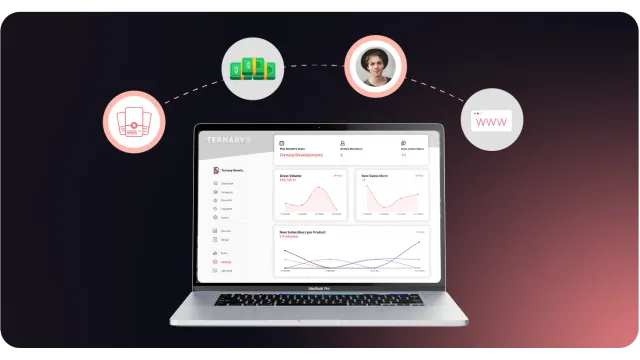
With records in one place, the questions that matter become answerable: how many paying members you have, how many joined this month, how many left, and what revenue looks like over time. Dashboards built on that data show trends a channel’s message count never will.
3. You own the relationship
Discord accounts can be deleted or banned, servers can be lost, and members change their usernames often. A member list with emails and purchase history, kept outside Discord, means you can always reach your customers and move to another tool if you need to.
How to get one
| Approach | Good for | Weak spot |
|---|---|---|
| Spreadsheet | A handful of members | Goes stale within weeks |
| General CRM (for example HubSpot) | Businesses with an existing sales process | Needs manual sync with Discord roles and payments |
| Discord-specific CRM | Paid communities | Built only for the Discord use case |
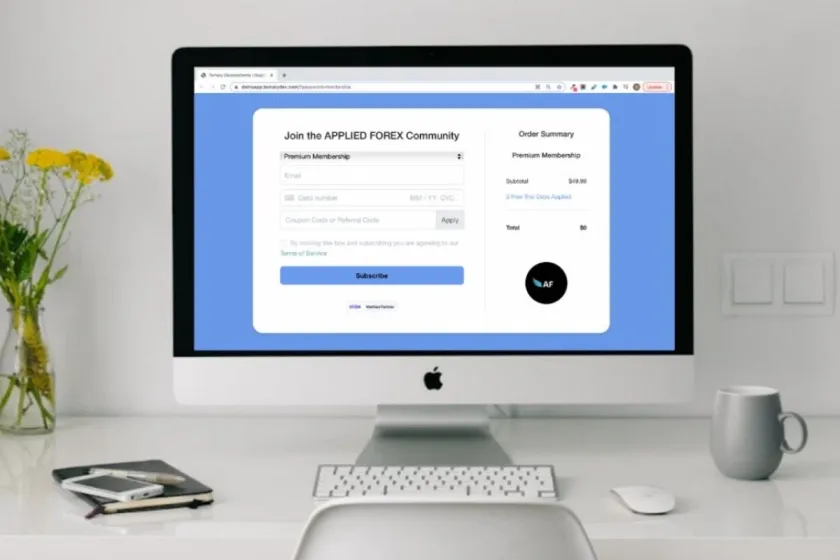
Ternary’s member CRM is part of every plan, including the free Basic plan with no transaction fee. Members join through a signup gate with Discord login and pay through Stripe; Ternary gives the role on sign-up, removes it on cancellation and records the member. Premium is $100 a month plus a 3% transaction fee.
To see how member data flows between Ternary and your other tools, read Ternary integrations. If you are still at the free-server stage, start with how to make a good Discord server.
FAQ
What is a Discord CRM?
A Discord CRM is a customer database built around your Discord members. Each record links a person's Discord account to their email, what they bought, their payment history and whether their membership is active. It answers business questions that Discord itself does not, such as who pays, who stopped paying and which members joined this month.
Can a bot do the job of a CRM?
Partly. A bot can store data in its own database and assign roles, but most community bots are built for moderation, games or engagement, not for payments and customer records. When payments run in one tool and roles in another, nothing checks that they agree, and paying members get missed while former members keep access.
Can I use HubSpot or another general CRM instead?
You can, but you will need to keep Discord identities and payment status in sync with it yourself, through exports or automation. General CRMs do not know who holds which Discord role. A Discord-specific CRM starts from the Discord account and the payment together, which saves that matching work for paid communities.