Should Your Business Move to Discord? Pros and Cons

Published · Updated · 3 min read
Short answer
Move your customer community to Discord if your customers already use it, you need live conversation more than long posts, and you can staff moderation. Wait if your audience is unfamiliar with Discord or you need workplace compliance features. Move in stages: invite your most active members first, then migrate everyone with a clear date.
| Biggest advantage | Live text, voice and video in topic channels, for free |
|---|---|
| Biggest drawback | Members who do not use Discord must sign up to join |
| How people join | Invite links, or Server Discovery for eligible Community servers |
| Safety features to plan for | Verification level, media filter, rules channel, onboarding |
Checked against the sources at the end of this article.

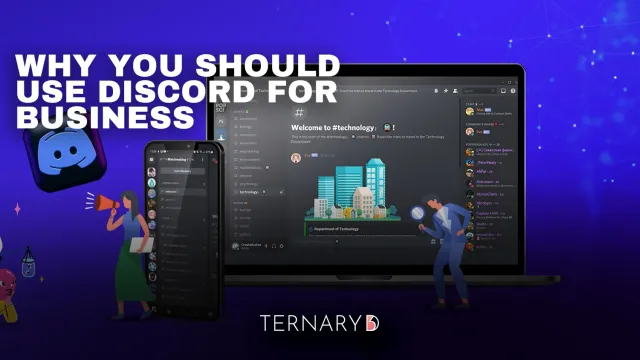
Many businesses run a customer community somewhere: a social media group, a forum, a Slack workspace or an email list. Discord keeps coming up as the alternative, especially when customers ask for it. Whether to move is a real decision with costs. This guide sets out the pros and cons and a way to decide. For the case for Discord in general, see our pillar guide, why use Discord for business, and the wider Discord for business and creators topic.
The pros
- Live conversation. Text, voice and video in one place, with channels per topic. Good for support, events and fast feedback.
- Free to run. Creating and running a server costs nothing.
- Control over the space. No feed algorithm decides who sees your posts; members see the channels they joined.
- Roles and permissions. Separate public, customer, paid and staff areas cleanly.
- Safety tooling. Community servers add raid protection, rules screening, onboarding and insights.
The cons
- The sign-up step. People who do not use Discord must create an account to join. That costs members, especially older or less technical audiences.
- It moves fast. Busy channels scroll quickly, which suits chat but not long, thoughtful posts.
- No customer records. Discord shows aggregated statistics, not who your customers are or what they paid.
- Moderation is ongoing work. A public server needs people watching it every day.
Signs you are ready to move
- Your customers already use Discord, or ask you to be there.
- Your community is conversational: questions, live sessions, quick feedback.
- You can name at least two people who will moderate.
- You have a reason for the move that members will feel, such as faster answers or live events.
Signs you should wait
- Most of your customers have never opened Discord.
- Your community is built on long posts that need to be found months later.
- You need workplace features such as company-managed accounts.
- Nobody owns the community day to day.
A five-step move
- Build a small server. A short channel list, clear rules and roles. Our guide on how to make a good Discord server covers the structure.
- Invite your core members first. Twenty active members make the server feel alive for everyone who follows.
- Announce a date. Explain what members gain, post the invite link everywhere you are present today, and pin it.
- Run both spaces briefly. Keep the old one read-only for a few weeks with a pointer to the new server.
- Close the loop. Archive the old space and thank members who moved.
What it costs in time
Plan for a few hours a week from the person who owns the community, plus daily check-ins from moderators. The first month takes more: answering questions about the move, fixing permissions and welcoming people personally. Budget that time before you announce, because a quiet new server in the first week is a common reason members drift back to the old space.
If the community is paid
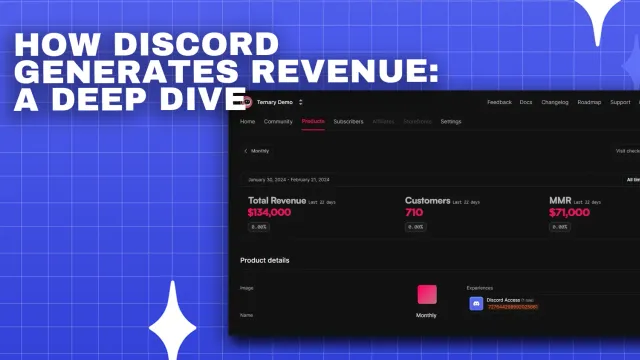
Moving a paid community is mainly about access. Members must keep what they paid for on day one. If you sell through Stripe, a membership tool can give each paying customer the right Discord role when they sign in with Discord, and remove it when their subscription ends. Ternary does this and keeps each member in a CRM, so you can check that every paying customer arrived. Its Basic plan is free with no transaction fee.
The decision in one line
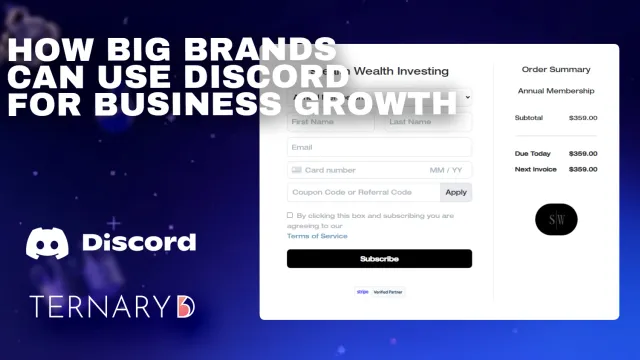
Move when your customers are already on Discord and you can staff it; otherwise, start with a small pilot and let the numbers decide. Brands considering a larger rollout can read how big brands use Discord for business growth.
FAQ
How do I move members from a Facebook group or Slack to Discord?
Announce the move with a date and a reason members care about, post a permanent invite link in the old space, and keep the old group open read-only for a few weeks. Invite your most active members first so the new server is lively when everyone else arrives. Expect some members not to follow, and say goodbye on good terms.
Will my older customers struggle with Discord?
Some will. Discord's interface has many channels and settings, which can feel busy at first. Keep the channel list short, write a pinned how-to post, and use onboarding questions so each new member sees only what is relevant. Offer a short live tour in a voice channel during the first weeks after the move.
What should we measure after moving?
Measure how many members join, how many post in their first week, how many are still active after a month, and how many support questions are answered by other members. For paid communities, also compare renewals before and after the move. If activity drops for more than a month, find out why before you close the old space.